Installation on Windows
CukeTest provides two installation options for Windows users to meet different needs. The following is a detailed installation guide:
Please note:
CukeTest must be installed on a 64-bit Windows system. Although the support for Windows 7 is provided, it only applies to the 64-bit version of Windows 7. For 32-bit Windows environments, only the Remote Execution Agent is available. If you need to run automation tasks on a 32-bit Windows system, you should use Remote Automation.
While the Microsoft Store version and Desktop version can be installed on the same system simultaneously, it is not recommended, as it may cause confusion during use.
Installing from an .msi package
Double-click the
CukeTest.msiinstaller and click Next.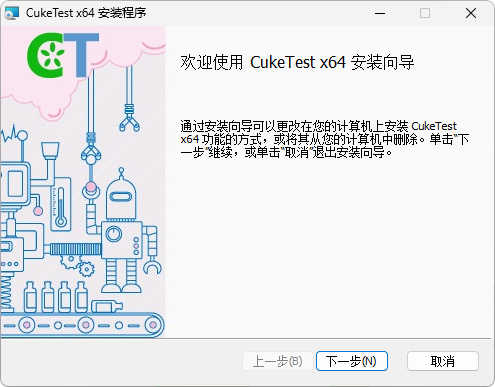
Accept the User License Agreement and click Next.
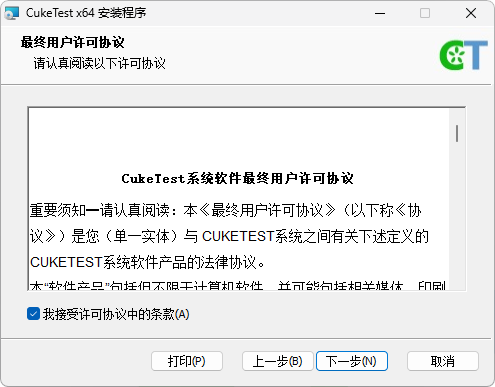
Choose the installation path (
C:\Program Files\LeanPro\CukeTestas the default path), then click Next.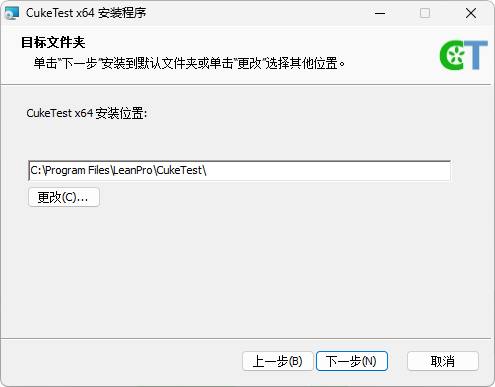
Click Install to start the installation process.
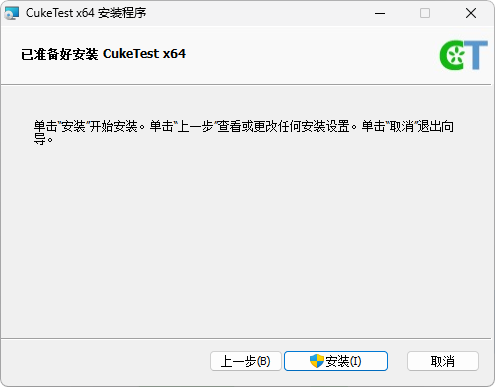
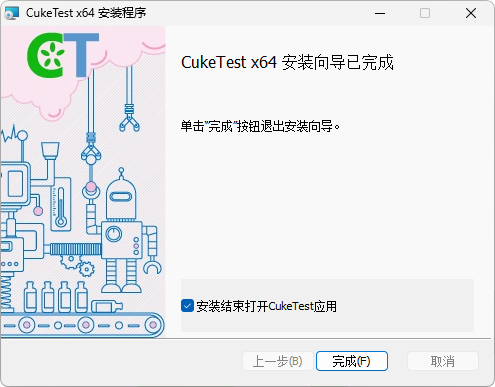
Once the installation is complete, click Finish to exit the setup wizard.
Installing from Microsoft Store
For the operating systems later than (and including) Windows 10, you can also install CukeTest from the Microsoft Store.
- Log in to the Microsoft Store.
- Type CukeTest in the search box to find the application.
Click Install, and follow the instructions to complete the installation.

Using the Python Module of CukeTest on Windows 7
CukeTest includes a built-in Python 3.8 module. To ensure that the module works properly on some older versions of Windows 7, you may need to install additional security updates.
Please make sure you have installed the Service Pack 1 and the KB2533623 update. If these updates are not yet installed, you can download and install the KB4457144 Update。
Installation Completed
After completing the steps above, you should be able to use CukeTest smoothly for your Automated Testing.
If you encounter any issues during installation or setup, please do not hesitate to contact our support team for assistance.