测试生成器
Playwright 自带开箱即用的测试生成功能,是快速开始测试的绝佳方式。它将打开两个窗口:一个浏览器窗口,你可以在其中与要测试的网站进行交互;以及 Playwright Inspector 窗口,你可以在其中录制测试、复制测试、清除测试以及更改测试语言。
运行 Codegen (Test Generator)
npx playwright codegen demo.playwright.dev/todomvc
运行 codegen 并在浏览器中执行操作。Playwright 将生成用户交互的代码。Codegen 会尝试生成具有弹性的基于文本的选择器。
模拟视口大小
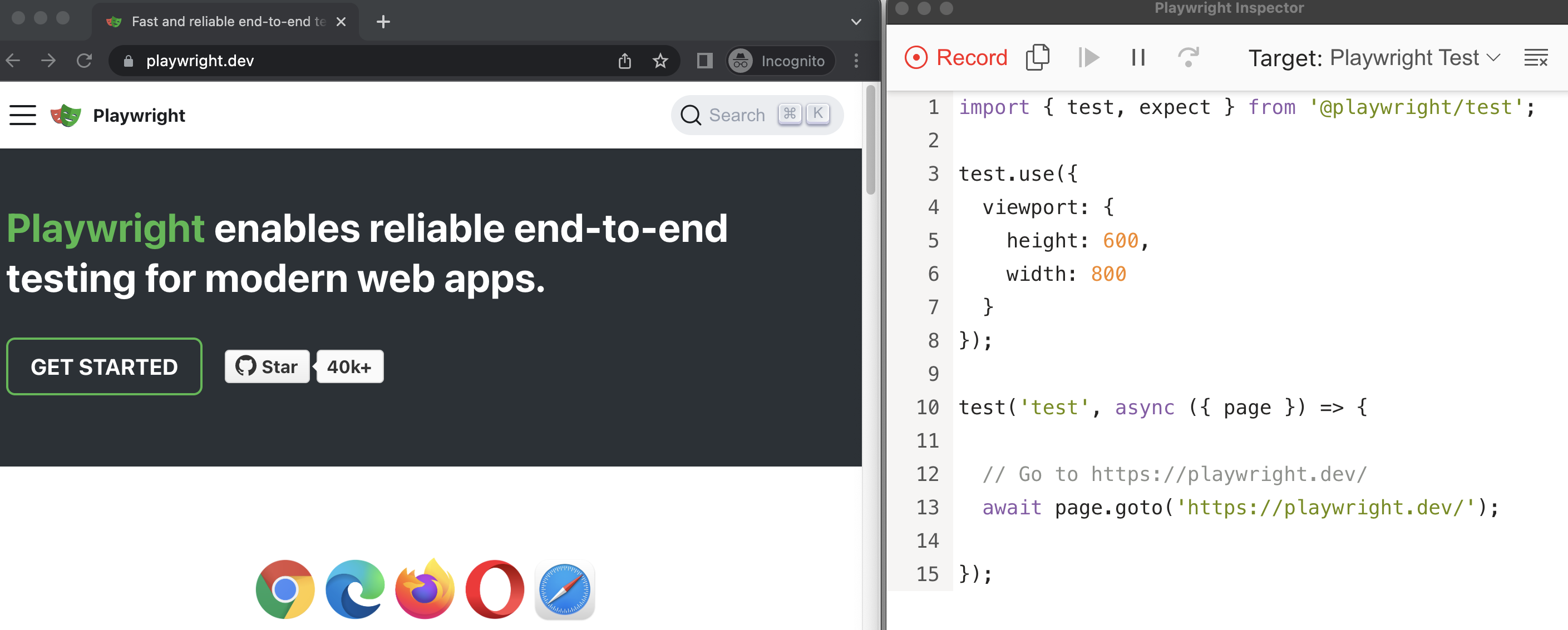
Playwright 打开一个浏览器窗口,其视口设置为特定的宽度和高度,并且不响应式调整,因为测试需要在相同的条件下运行。使用 --viewport 选项以不同的视口大小生成测试。
npx playwright codegen --viewport-size=800,600 playwright.dev
模拟设备
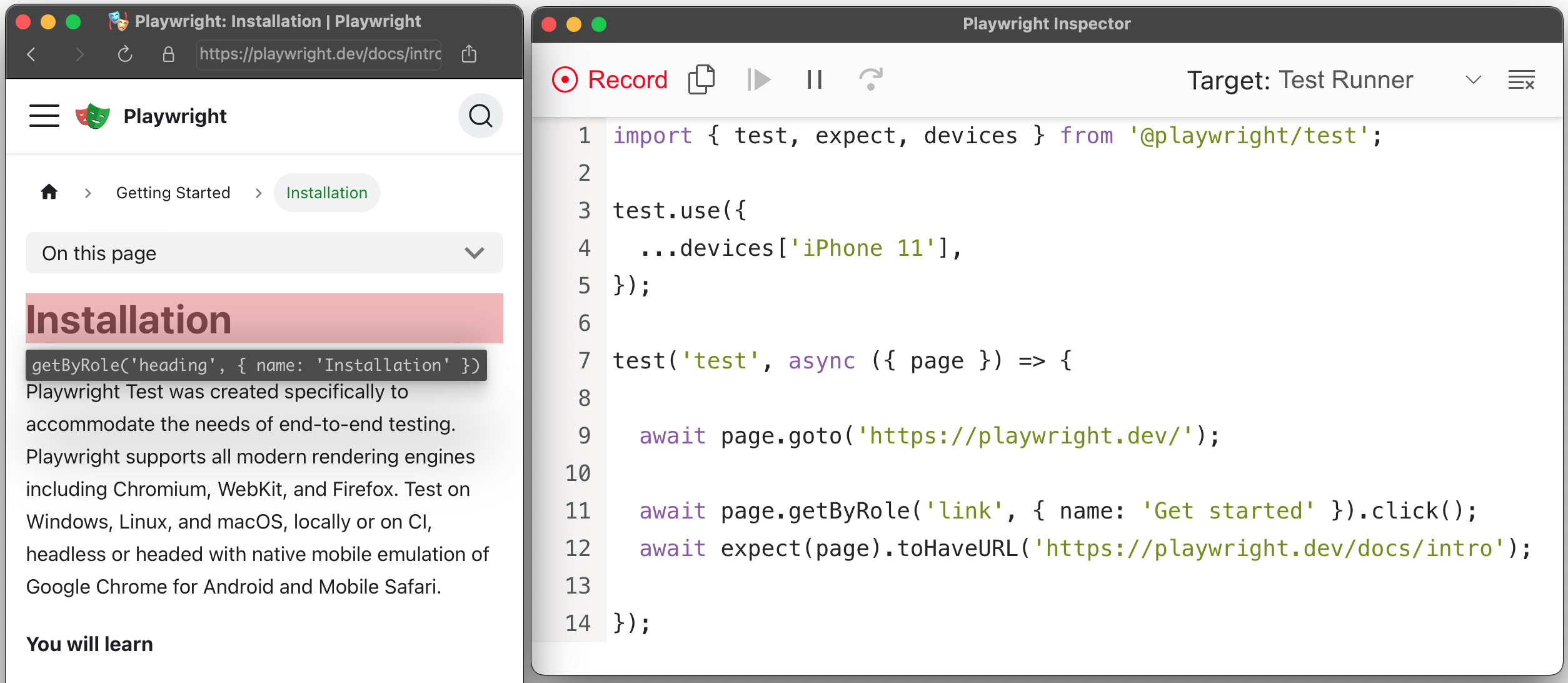
使用 --device 选项模拟移动设备录制脚本和测试,该选项会设置视口大小和用户代理等。
npx playwright codegen --device="iPhone 11" playwright.dev
模拟配色方案
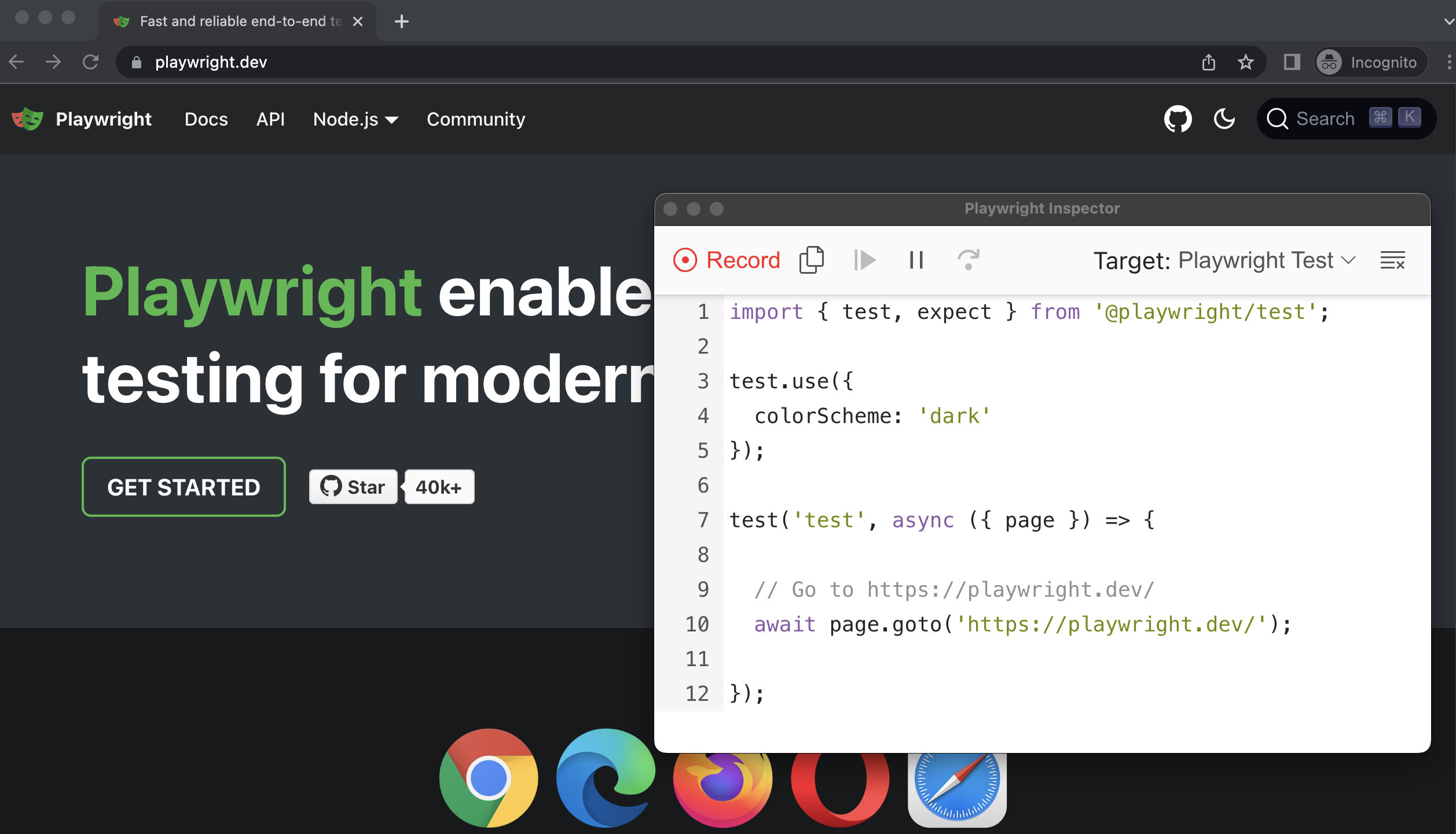
使用 --color-scheme 选项模拟配色方案录制脚本和测试。
npx playwright codegen --color-scheme=dark playwright.dev
模拟地理位置、语言和时区
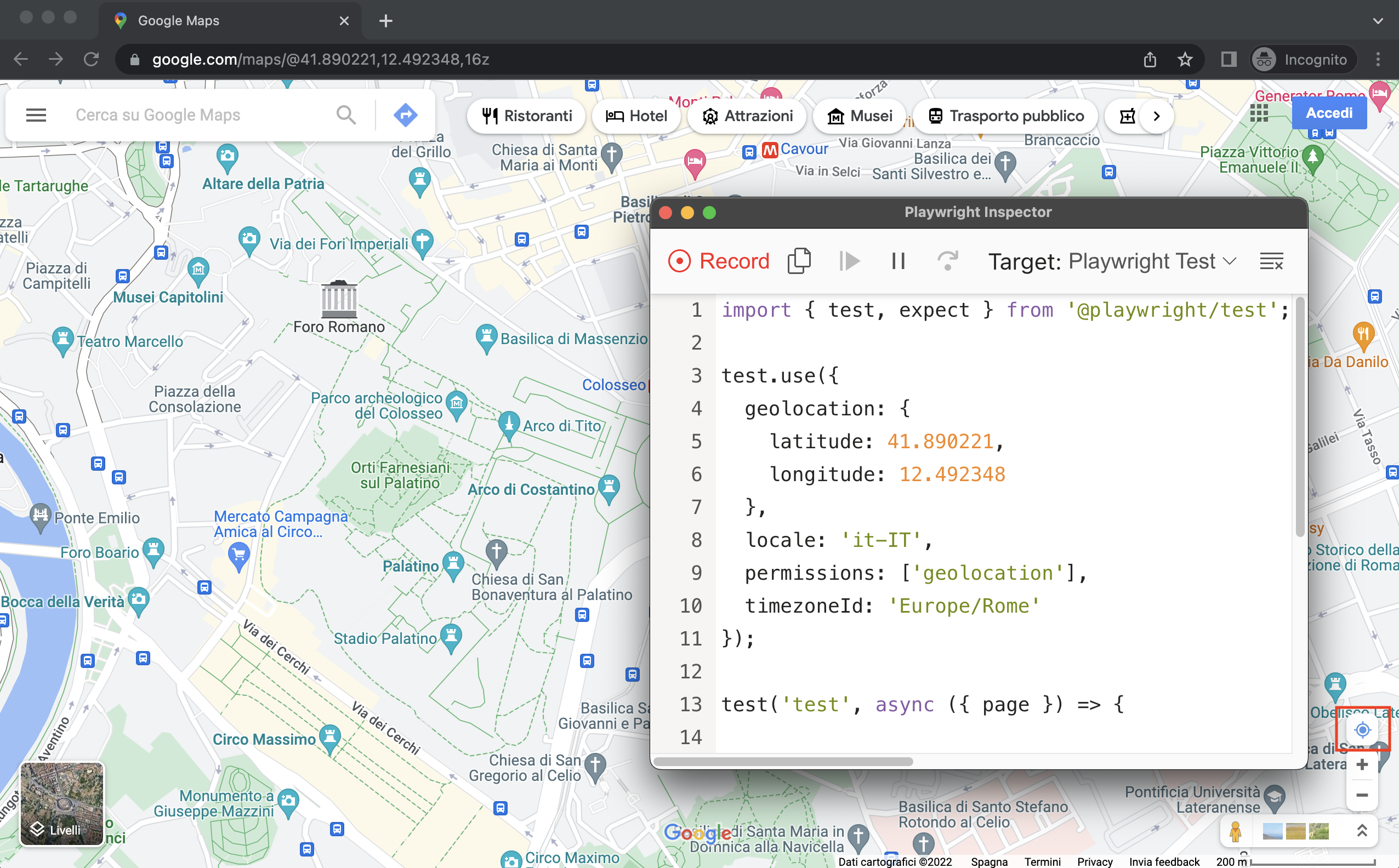
使用 --timezone、--geolocation 和 --lang 选项模拟时区、语言和位置录制脚本和测试。页面打开后,点击地图右下角的“显示你的位置”图标,即可看到地理定位的效果。
npx playwright codegen --timezone="Europe/Rome" --geolocation="41.890221,12.492348" --lang="it-IT" maps.google.com
保持认证状态
使用 --save-storage 运行 codegen,在会话结束时保存 Cookies 和 localStorage。这对于单独录制身份验证步骤并在以后的测试中重用它非常有用。
执行身份验证并关闭浏览器后,auth.json 将包含存储状态。
npx playwright codegen --save-storage=auth.json
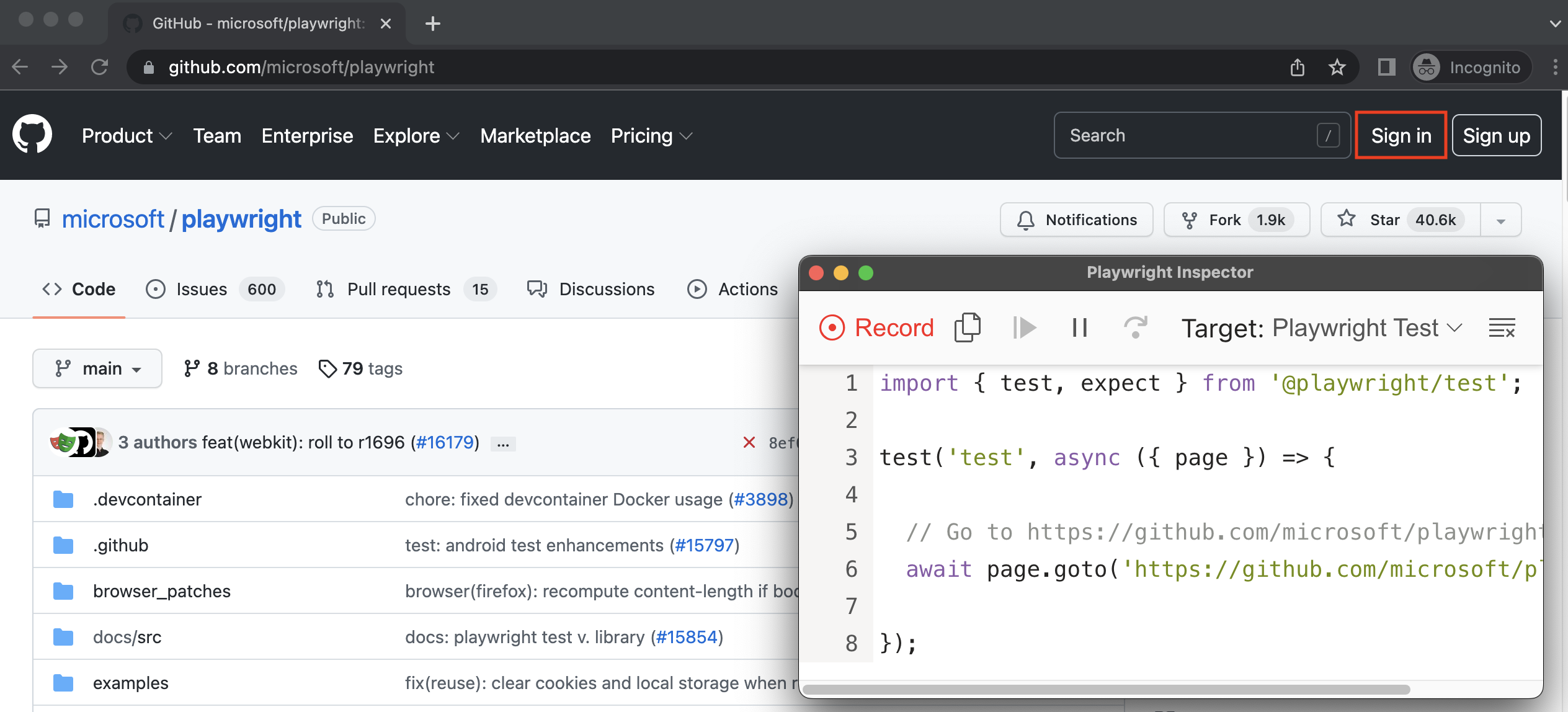
使用 --load-storage 运行以使用先前加载的存储。这样,所有的 Cookies 和 localStorage 都将被恢复,使大多数 Web 应用程序处于已验证状态,而无需再次登录。
npx playwright codegen --load-storage=auth.json github.com/microsoft/playwright
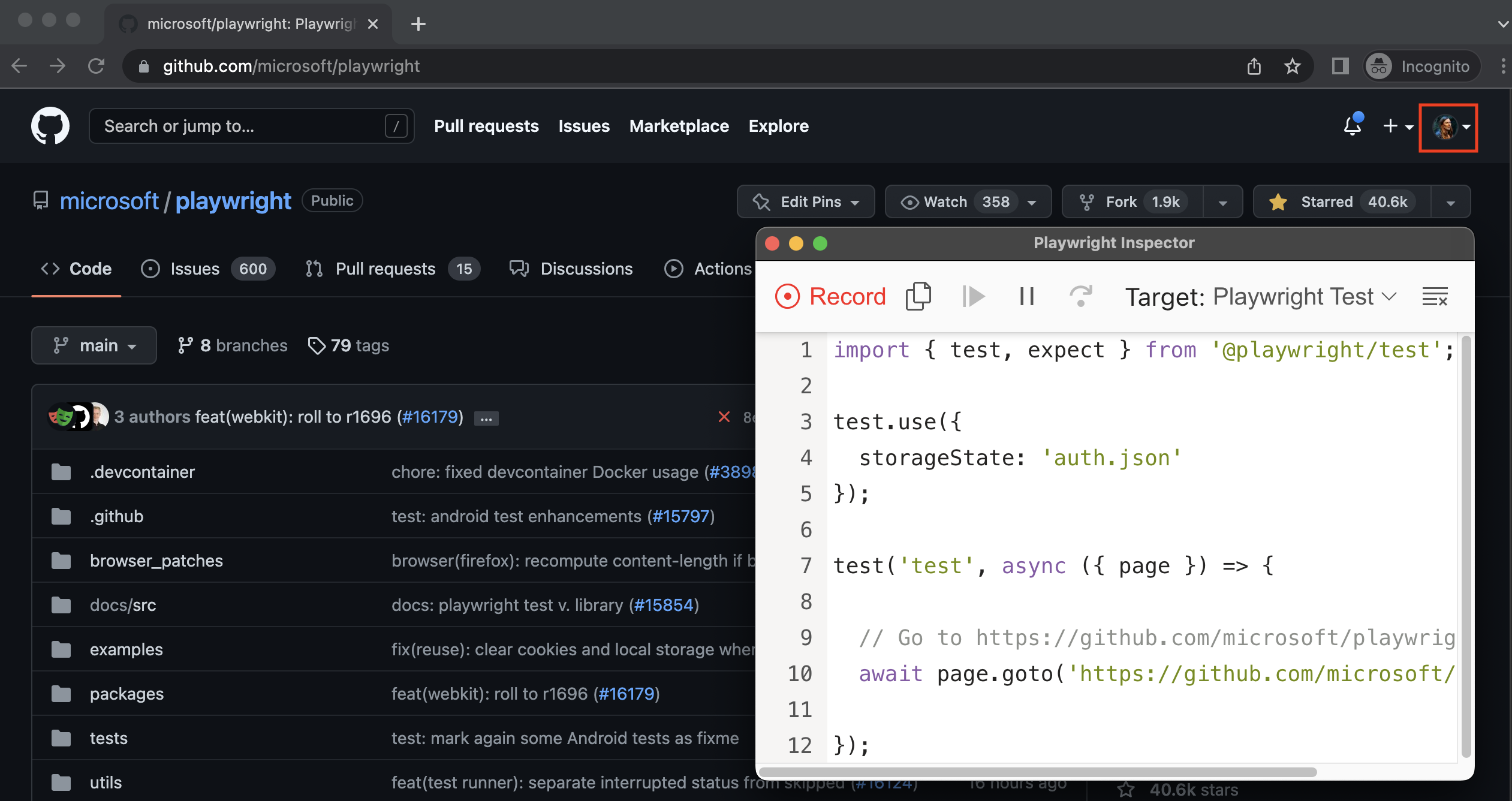
使用带有 --load-storage 的 open 命令打开保存的 auth.json。
npx playwright open --load-storage=auth.json github.com/microsoft/playwright
使用自定义设置录制
如果你想在某些非标准设置中使用 codegen(例如,使用 browserContext.route(url, handler[, options])),可以调用 page.pause(),这将打开一个带有 codegen 控件的单独窗口。
const { chromium } = require('@playwright/test');

(async () => {
  // 确保以有头模式运行。
  const browser = await chromium.launch({ headless: false });

  // 随意设置上下文。
  const context = await browser.newContext({ /* pass any options */ });
  await context.route('**/*', route => route.continue());

  // 暂停页面,并手动开始录制。
  const page = await context.newPage();
  await page.pause();
})();